


My laptop battery is draining fast and I can't decide if I should replace the battery or just buy a new laptop. It's a few years old, it used to last most of a day and now I'm hunting for outlets by lunchtime. Is a battery swap worth it or is that throwing money at a dying machine?
Laptop battery draining fast: repair, replace the battery, or buy new?

Concerns & risks
Battery life has shrunk noticeably, but everything else about the laptop is fine.
| Battery report shows | Means | Best move |
|---|---|---|
| Full charge near design capacity | Battery healthy | Fix software drain |
| Full charge well below design | Worn battery | Replace battery |
| Swelling or bulging | Safety risk | Stop using, replace now |
| Battery fine but laptop slow and old | Whole device aging | Consider a new laptop |


Causes & evidence
Lithium-ion batteries lose capacity with charge cycles and age, so a battery that once lasted all day naturally holds less charge years later. Sometimes, though, it's not the battery: a background app, outdated drivers, or high screen brightness can cause sudden drain. Windows can generate a battery report that compares design capacity to current full charge capacity, which tells you whether the cell is worn out.
Batteries are consumables: lithium-ion cells lose capacity with charge cycles and heat. The battery report in Windows shows design capacity next to full charge capacity, so you can see the wear in plain numbers instead of guessing. Software can still drain a healthy battery, so check Battery usage in Settings for apps eating power in the background.

Before you buy a new laptop, ask the battery itself. It will literally give you a report card.
What to do


| Situation | Best move |
|---|---|
| Full charge capacity way below design capacity, laptop otherwise good | Replace battery |
| Sudden drain after update or new app | Troubleshoot software first |
| Old CPU, can't run Windows 11, slow | Consider new laptop |
| Swollen battery | Stop using; get it serviced right away |
- Open Command Prompt and run powercfg /batteryreport, then open the generated HTML file.
- Compare Design Capacity to Full Charge Capacity.
- Check Settings > System > Power & battery for apps using the most battery.
- Update BIOS, drivers and Windows.
- If capacity is badly worn and the laptop is still good, get an official replacement battery from the manufacturer or an authorized service center.
- If the laptop can't run Windows 11 or is slow overall, put the money toward a new one.

Common mistakes:
- Buying uncertified cheap batteries
- Ignoring a swelling battery
- Replacing a battery when a rogue app was the problem
ReportSpeedMan tip: Some manufacturers' apps let you cap charging at around 80% to slow battery wear if you're always plugged in.
What I would actually do
run the battery report. If capacity is far below design, I'd replace the battery; it's usually cheaper than a new laptop.
The trade-off people miss: a weak battery on an otherwise good laptop is a part, not a death sentence. Check repair options before buying new.
Checking that it worked
The battery report shows healthy capacity (or the new battery), and the laptop lasts noticeably longer on the same daily use.
Quick FAQ
Is it safe to keep a laptop plugged in?
Many laptops offer a charge limit setting that helps; check your maker's app.
Can I replace the battery myself?
Some models allow it; others need service. Check the maker's guide.
Will a new battery fix slowness?
No. It fixes runtime, not speed.
Wrap-up: Run a battery report, rule out software, then replace the battery if the laptop is otherwise solid.
Wiki: Windows End of Support.
Laptop battery draining fast: where the facts come from
Step-by-step photos

1. Before The problem 
2. Why it happens The cause 
3. The fix The fix 
4. After The result
⚡ Speed Summary
- Run a battery report, rule out software, then replace the battery if the laptop is otherwise solid.
- Some manufacturers' apps let you cap charging at around 80% to slow battery wear if you're always plugged in.
- Before you buy a new laptop, ask the battery itself. It will literally give you a report card.

Was this answer helpful?
Tap a star to rate this answer.
Related questions
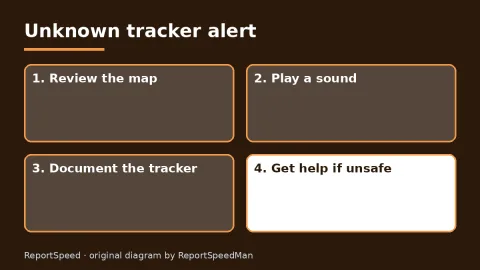
Got an 'AirTag found moving with you' alert? What to do next
Find the tracker, document it, identify the owner, and disable it.
Rate itSolved
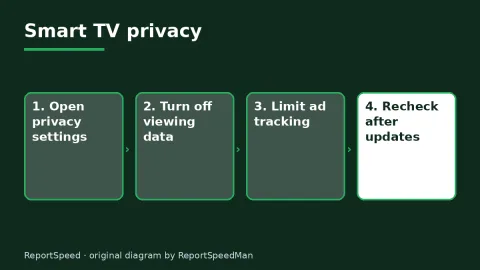
Is my smart TV tracking what I watch? How to turn off ACR
Smart TVs may use ACR to track viewing.
Rate itSolved
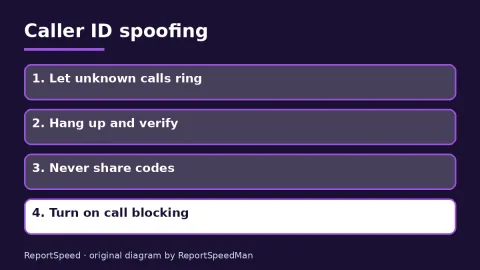
Caller ID spoofing: why scammers show a local number and how to protect yourself
Caller ID can be faked, and spoofing to defraud is illegal.
Rate itSolved

How do I stop spam emails without making it worse?
Mark spam, block repeat senders, unsubscribe only from known companies, and report phishing.
Rate itSolved
Real experiences
No experiences yet. Be the first to share.