


Windows 10 end of support already happened and my PC is still on it. I keep getting nag screens, my laptop works totally fine for browsing and school stuff, and I really don't want to buy a new one just because a calendar date passed. Is it actually dangerous to keep using it? I've seen people mention some paid extension thing, plus whether my machine can even take Windows 11. I'm kind of lost on what my real options are.
Windows 10 end of support: what should I do with my PC now?

Concerns & risks
Your computer still boots, your apps still open, nothing looks broken. But Microsoft's support page is clear that Windows 10 reached end of support on October 14, 2025, and you're seeing reminders every time you sign in. You're trying to figure out whether you can keep going, pay for more time, upgrade for free, or need to replace the hardware.
| Your PC | Best path | Why |
|---|---|---|
| Meets Windows 11 requirements | Free upgrade via Windows Update | Keeps getting security fixes |
| Doesn't meet requirements, still useful | Enroll in Extended Security Updates | Buys time to plan |
| Old and slow anyway | Replace when budget allows | ESU doesn't add speed |
| Offline-only machine | Keep, but avoid sensitive use | Risk grows without patches |


Causes & evidence
End of support doesn't switch your PC off. It means no more security updates, fixes or technical help for that version. Over time, newly discovered holes stay open, and attackers love unpatched systems because the vulnerabilities are publicly documented. Microsoft also notes that support for Microsoft 365 Apps on Windows 10 ended on the same date. For PCs that can't meet Windows 11 requirements, Microsoft points people to the consumer Extended Security Updates (ESU) program, which its support page says can protect a Windows 10 device until October 12, 2027.
One detail people miss: ESU is about security updates only. It doesn't bring new features, and it doesn't make old hardware faster. Treat it as time to plan, not as a reason to forget the problem for another year. If you have several Windows 10 PCs at home, check each one separately, because a newer machine might upgrade for free while an older one needs the bridge.

The scary part isn't the date. It's how many people keep banking and shopping on a system that stopped getting patches.
What to do


| Option | Good for | Watch out for |
|---|---|---|
| Free upgrade to Windows 11 | PCs that pass the requirements check | Back up first; some old apps or drivers may need updates |
| Consumer ESU | PCs that can't run Windows 11 and still work well | It's a bridge, not a forever plan (Microsoft lists October 12, 2027) |
| Replace the PC | Very old or slow hardware | Move your files and licenses carefully |
| Keep using it unpatched | Offline-only tasks | Not recommended for email, banking or browsing |
- Open Settings > Windows Update and see whether Windows 11 is offered. If it is, your hardware probably qualifies.
- Run Microsoft's PC Health Check (linked from the support page) to see exactly which requirement fails, if any.
- Back up everything to an external drive or cloud before changing anything. See the wiki for what end of support means for data.
- If eligible, upgrade to Windows 11 and update drivers afterwards from your PC maker or the GPU vendor.
- If not eligible, enroll in the consumer ESU program from Windows Update so you keep getting security fixes while you plan.
- Set a calendar reminder well before the ESU end date to decide on a replacement without panic.

Common mistakes:
- Assuming antivirus alone replaces operating system security patches
- Downloading 'Windows 11 bypass' tools from random sites, which is a malware magnet
- Upgrading without a backup and losing files when something goes sideways
- Forgetting that ESU has an end date too
ReportSpeedMan tip: If your PC is borderline, check the exact failed requirement first. Sometimes it's a firmware setting like TPM being turned off in the BIOS, not missing hardware.
What I would actually do

run the PC Health Check app, and if the PC passes, back up and upgrade this weekend. If it fails, I'd enroll in ESU and set a calendar reminder to plan the replacement.
The trade-off people miss: ESU buys time, not speed. Paying to keep a slow PC alive can cost more in frustration than a modest new machine.
Personally, the moment that pushed me was realizing I'd been doing taxes on an OS that stopped getting fixes. That's not a hardware problem, it's a risk problem, and it has a cheap first step: check eligibility tonight.
How to know it worked
You'll know you've handled it when Windows Update shows either Windows 11 installed or your device enrolled in ESU and receiving updates, and your files are safely backed up. Put the ESU end date in your calendar now.
Quick FAQ
Will my Windows 10 PC stop working?
No. It keeps running, but without security fixes, risk grows over time.
Is Windows 11 free for eligible PCs?
Microsoft offers the upgrade through Windows Update to devices that meet the requirements.
Do I lose files when upgrading?
An in-place upgrade normally keeps files and apps, but always back up first.
Wrap-up: Check eligibility, back up, then pick a path: free Windows 11 upgrade, ESU as a bridge, or a replacement on your own schedule. Doing nothing is the only truly bad choice.
Wiki: Windows End of Support.
Windows 10 end of support: official sources I checked
Step-by-step photos

1. Before The problem 
2. Why it happens The cause 
3. The fix The fix 
4. After The result
⚡ Speed Summary
- Check eligibility, back up, then pick a path: free Windows 11 upgrade, ESU as a bridge, or a replacement on your own schedule.
- If your PC is borderline, check the exact failed requirement first. Sometimes it's a firmware setting like TPM being turned off in the BIOS, not missing hardware.
- The scary part isn't the date. It's how many people keep banking and shopping on a system that stopped getting patches.

Was this answer helpful?
Tap a star to rate this answer.
Related questions
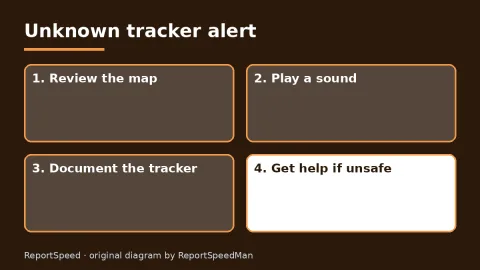
Got an 'AirTag found moving with you' alert? What to do next
Find the tracker, document it, identify the owner, and disable it.
Rate itSolved
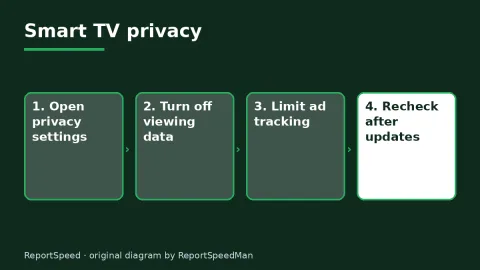
Is my smart TV tracking what I watch? How to turn off ACR
Smart TVs may use ACR to track viewing.
Rate itSolved
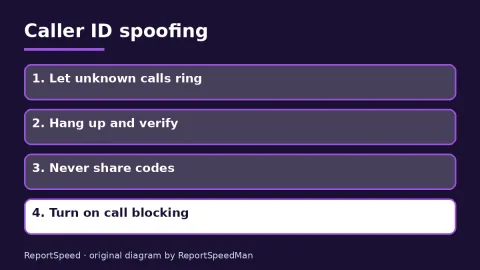
Caller ID spoofing: why scammers show a local number and how to protect yourself
Caller ID can be faked, and spoofing to defraud is illegal.
Rate itSolved
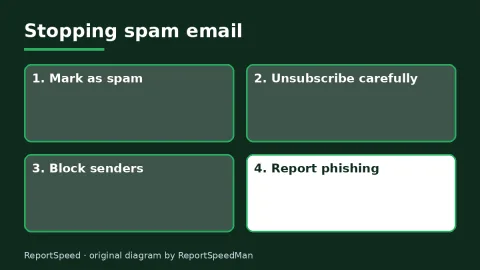
How do I stop spam emails without making it worse?
Mark spam, block repeat senders, unsubscribe only from known companies, and report phishing.
Rate itSolved
Real experiences
No experiences yet. Be the first to share.